
Tool 04 / Email workflow
Email work, in one place.
Email Contacts & Campaign Toolkit brings contact extraction, message conversion, list cleaning, and Outlook campaign management together in a local browser interface.
About the tool
From scattered contacts to a managed campaign.
The five tools cover distinct parts of the email workflow: extracting external contacts from Zendesk or Outlook archives, converting Outlook messages, preparing lists, and sending personalized campaigns through desktop Outlook. Results and campaign state are kept locally.
What it does
Five tools, one workflow.
Zendesk External Contact Exporter
Extract unique external email contacts from a Zendesk account, with an option to exclude internal domains.
Outlook PST Email Address Extractor
Find email addresses in Outlook PST archives, including message participants and addresses found in message bodies.
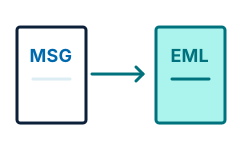
Outlook MSG-to-EML Converter
Convert individual Outlook MSG files or a folder of messages into standard EML files.
Business Email List Cleaner
Validate and deduplicate addresses, filter unwanted categories, and optionally check whether domains have mail servers. Export the results to Excel.
Outlook Personalized Campaign Sender
Prepare personalized messages, set sending limits and pauses, resume saved campaigns, and review replies and bounces.
Cross-Campaign Contact Suppression
Keep a local record of sent, replied, and bounced addresses so new lists can exclude contacts already reached.
Pricing and access
Details are not set yet.
Pricing and how to obtain Email Contacts & Campaign Toolkit will be published here when confirmed. The app runs locally; PST extraction and campaign sending use desktop Outlook on Windows, and Zendesk extraction requires access to a Zendesk account.